CX Composer for Liferay — Liferay Client Extension code generator and scaffolder for VS Code and IntelliJ IDEA
The Liferay Client Extension code generator that scaffolds a working Object Action in ten seconds.
Wizard-driven scaffolding for all 28 Client Extension types, IntelliSense on client-extension.yaml, six validator types, per-extension build via Blade, and CX Companion — an AI panel that scaffolds and edits extensions from a plain-English prompt preview — inside VS Code and IntelliJ IDEA.
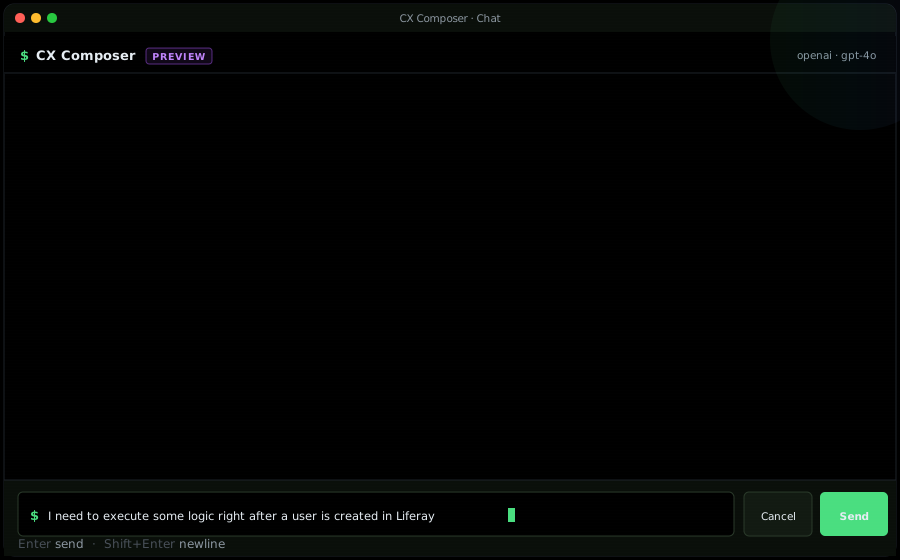
Meet CX Companion.
A workspace-aware AI panel for Liferay Client Extensions. Describe what you need in plain English — CX Companion picks the right CX type, scaffolds the full project (yaml, OAuth, Dockerfile, handler), and queues every change for review before anything touches disk. Available in VS Code and JetBrains IDEs.
Seven capabilities. One workflow.
see all features →Scaffolding, editing, validation, and build — the full authoring lifecycle for Liferay Client Extensions, right in VS Code and IntelliJ IDEA.
Verifiable trust, not testimonials.
CX Composer's schemas, validators, and scaffolds trace back to Liferay's public sources — the same source Liferay's own runtime uses. Every claim below is a build-time fact you can audit.
batch entity DTO schemas extracted from Liferay's public OpenAPI schemas
production client-extension.yaml files from Liferay's public sources cross-checked at build time
hand-verified fixes for parent-FK requirements OpenAPI omits (e.g., Region.countryId)
canonical Liferay samples the scaffolder mirrors: -etc-node, -etc-spring-boot, -batch, -site-initializer, -custom-element-4
Common questions
What is CX Companion?
CX Companion is the AI panel inside CX Composer — a workspace-aware chat available in VS Code and every JetBrains IDE. You describe what you want to build in plain English and CX Companion picks the right Liferay Client Extension type, scaffolds the full project (yaml, paired OAuth block, Dockerfile,assembleblock, handler stub), edits existing yaml files, and runs the full preflight validator on every change. Nothing writes to disk until you review and accept each change — every file edit lands in a pending-edits review queue. CX Companion also hosts the **Website → Batch Client Extension** migrator: paste a URL, the plugin crawls the site, uses AI to infer an Object Definition schema from the extracted content, pulls records out as Object Entries, and produces a ready-to-deploy batch CX folder. CX Companion is Pro-only and currently in Preview. You bring your own AI key — Anthropic, OpenAI, Google, Groq, Azure, Ollama, or any OpenAI-compatible endpoint — and CX Composer calls the provider directly from your IDE; keys stay in the OS keychain and prompts never pass through cxcomposer.dev.What is a Liferay Client Extension?
A Liferay Client Extension is a declarative package — defined by aclient-extension.yamlmanifest — that extends a Liferay DXP install without deploying a portlet or an OSGi bundle. There are 28 types spanning frontend widgets (Custom Element, IFrame), theming (Theme CSS, Global CSS/JS), configuration (OAuth apps, Instance Settings), microservices (Object Action, Workflow Action, Notification Type, CAPTCHA), batch (Batch, Site Initializer), commerce (Payment / Checkout / Shipping / Tax), and audiences. Each extension is built into a .zip withblade gw buildClientExtensionZipand deployed to a Liferay server.Is there a Liferay Client Extension code generator?
Yes — CX Composer is a Liferay Client Extension code generator available as a **VS Code** extension and an **IntelliJ IDEA / JetBrains Platform** plugin (WebStorm, PhpStorm, PyCharm, GoLand, RubyMine, RustRover, DataGrip). It generates theclient-extension.yamlmanifest plus all the working code the extension needs: for microservice CX types (Object Action, Workflow Action, Notification Type, CAPTCHA, Commerce) it generates a Node.js or TypeScript Express handler,package.json, two-stageDockerfile,LCP.jsonwith liveness/readiness probes, and the paired OAuth application entry. For Site Initializer it generates the full folder tree Liferay expects (layouts, master pages, fragments, taxonomies, style books, object definitions, roles, notification templates). For Theme CSS it generates a starterfrontend-token-definition.json. For Batch, right-click a batch CX folder → **Add Batch File** wizard lets you pick from **309 registered Liferay entity types** and drops a schema-correctbatch/<entity>.batch-engine-data.jsonskeleton with the correctconfiguration.className, envelope shape, and required fields prepopulated. All schemas are verified against Liferay's official reference samples and DTO schemas extracted from Liferay's public OpenAPI schemas, so generated projects deploy against DXP without further tweaks.Does CX Composer validate batch Client Extensions?
Yes — with full schema coverage for **every one of Liferay's 309 registered batch-engine entity types** (Object Definitions, User Accounts, Sites, Taxonomies, Blog Postings, Workflow Definitions, Commerce entities, and 300 more). Schemas were extracted from Liferay's public OpenAPI schemas and enriched with 169 hand-verified runtime patches for parent-FK relationships that OpenAPI omits (e.g.,Region.countryId,TaxonomyCategory.parentTaxonomyVocabularyExternalReferenceCode). Insidebatch/*.batch-engine-data.json, CX Composer offers auto-complete for theconfiguration.className(all 309 entities, grouped and filterable), field completions insideitems[]tailored to the file's specific className, hover documentation for every field pulled from Liferay's schema, and real-time diagnostics that catch missing required fields *before* you deploy — no more "No Country exists with primary key 0" errors afterblade gw buildClientExtensionZip.What is CX Composer for Liferay?
CX Composer is a VS Code extension **and IntelliJ IDEA plugin** that provides the full authoring lifecycle for Liferay Client Extensions: multi-step scaffolding for all 28 types (including full working Node.js or TypeScript microservices with Docker, and a complete Site Initializer folder tree), IntelliSense onclient-extension.yaml(completions + hover for every field on every type), full schema IntelliSense + validation for **all 309 registered Liferay batch-engine entity types** insidebatch/*.batch-engine-data.json, a workspace view listing every CX with deploy status, per-extension build via Blade, and six layered validators. Free tier validatesLCP.json,Dockerfile, and yaml for four static-asset CX types (globalJS,globalCSS,themeSpritemap,jsImportMapsEntry). Pro (from $5/month, or $25/year) extends validation to every other CX type — including the full 309-entity batch surface — and unlocks the full productivity suite plus AI-powered scaffolding.How does CX Composer compare to Blade CLI?
Blade CLI is a general-purpose Liferay tooling CLI — it can generate module skeletons, deploy bundles, and drive Gradle. CX Composer complements Blade with editor-first workflows: it invokes Blade under the hood for build (buildClientExtensionZip) but adds IntelliSense, validation, and a wizard-driven scaffold that Blade does not provide.What files does CX Composer validate, and what's free vs Pro?
Six layered validators, all auto-running on save/open: (1)client-extension.yaml— full schema for all 28 types, unknown fields flagged with did-you-mean; (2)LCP.json— Liferay Cloud service config; (3)Dockerfile— instruction ordering + deprecation warnings; (4) folder-level companion checks — missing Dockerfile / assemble source / referenced JSON; (5) smartfrontend-token-definition.json— walks up from the JSON to find itsthemeCSSentry and enforces the fullfrontendTokenCategories → sets → tokens → mappingsschema; (6) **batch/*.batch-engine-data.json** — schema IntelliSense + validation against all **309 registered Liferay batch-engine entity types**, with 169 hand-verified runtime FK patches so imports don't fail with "No X exists with primary key 0". **Free tier:**LCP.json,Dockerfile, and yaml validation for the four static-asset CX types most projects iterate on —globalJS,globalCSS,themeSpritemap,jsImportMapsEntry. **Pro tier** ($5/month, $15 every 6 months, or $25/year): yaml validation for the other 24 CX types (all microservice / backend types,themeCSS, Site Initializer, Batch, Commerce), folder-level companion checks, cross-reference validation, deepfrontend-token-definition.jsonshape checking, and the full 309-entity batch schema surface.
Free for static-asset validation. Pro from $5/month.
Same feature set on every Pro plan. Monthly ($5), 6-month ($15, save 50%), or yearly ($25, save 58%). One-machine-per-key, 30-day money-back guarantee.